Multistream to YouTube & Twitch
Go live on multiple channels at once. Choose your destinations per profile and pick a scheduled YouTube stream before you start.

COMING SOON · WINDOWS
Built for gamers and streamers. Multistream to YouTube and Twitch, record your gameplay, and bring guests into one simple workspace.
BE PART OF WHAT’S NEXT
Hear about testing opportunities, new features, and launch announcements.
A REAL SHOW. A WORKING STUDIO.
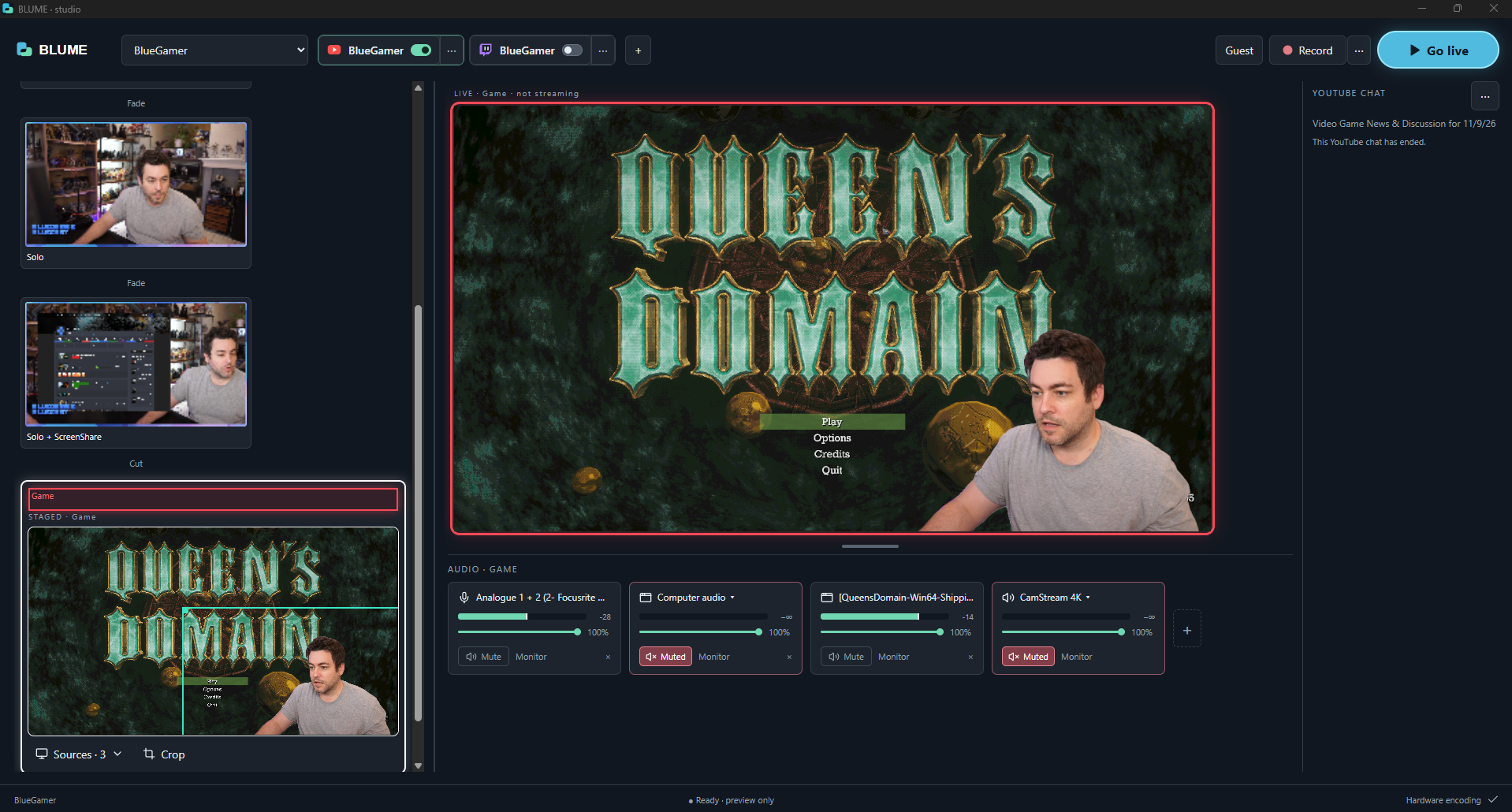
THE TOOLS TO RUN YOUR SHOW
Go live on multiple channels at once. Choose your destinations per profile and pick a scheduled YouTube stream before you start.
Combine cameras, games, screens, media and browser sources. Drag, crop and resize, then double-click a scene to send it live.
Record locally with separate quality settings and audio tracks by source group, ready for editing after the show.
Your guest joins with a camera, microphone and screen share. Add them to your scenes and coordinate through private chat.
See audio levels at a glance. Adjust, mute and monitor individual sources, with mic gain and noise removal built in.
Save channels and scenes in profiles. Start from scene templates, import or export a setup, and restore automatic backups.
A CLOSER LOOK
Focused controls for the moments
that matter during a show.
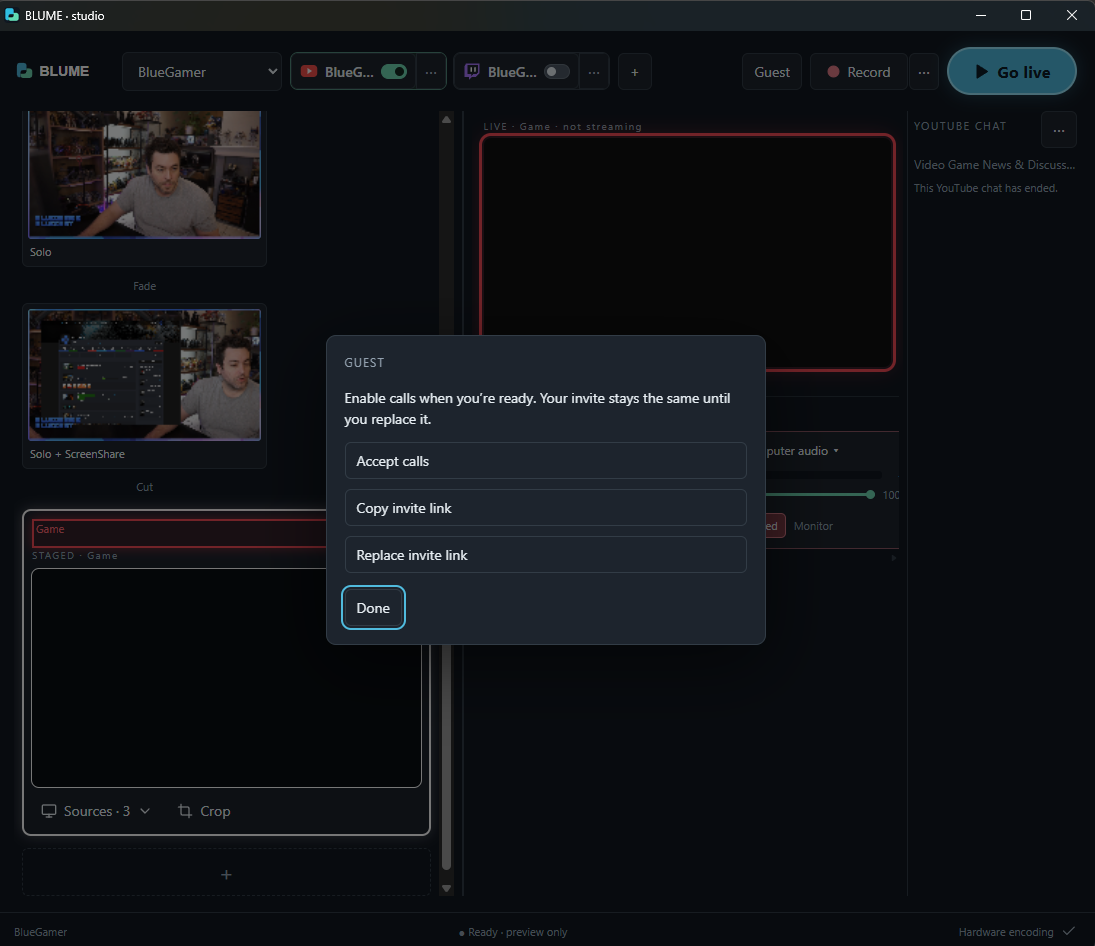
Accept calls when you’re ready. Keep the same invite link between sessions, or replace it when needed.
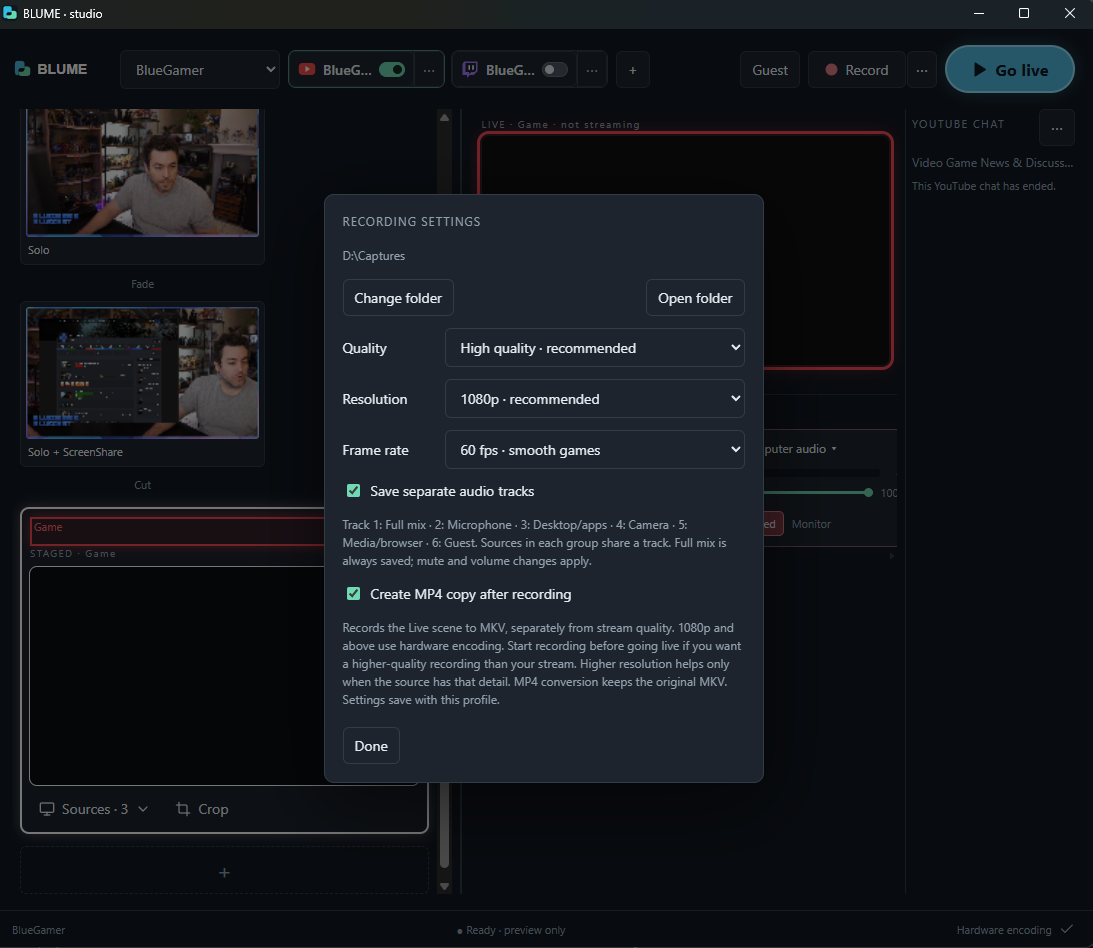
Choose your quality and save separate audio tracks. Keep recording settings independent of your stream.
BRING YOUR AUDIENCE INTO THE SHOW
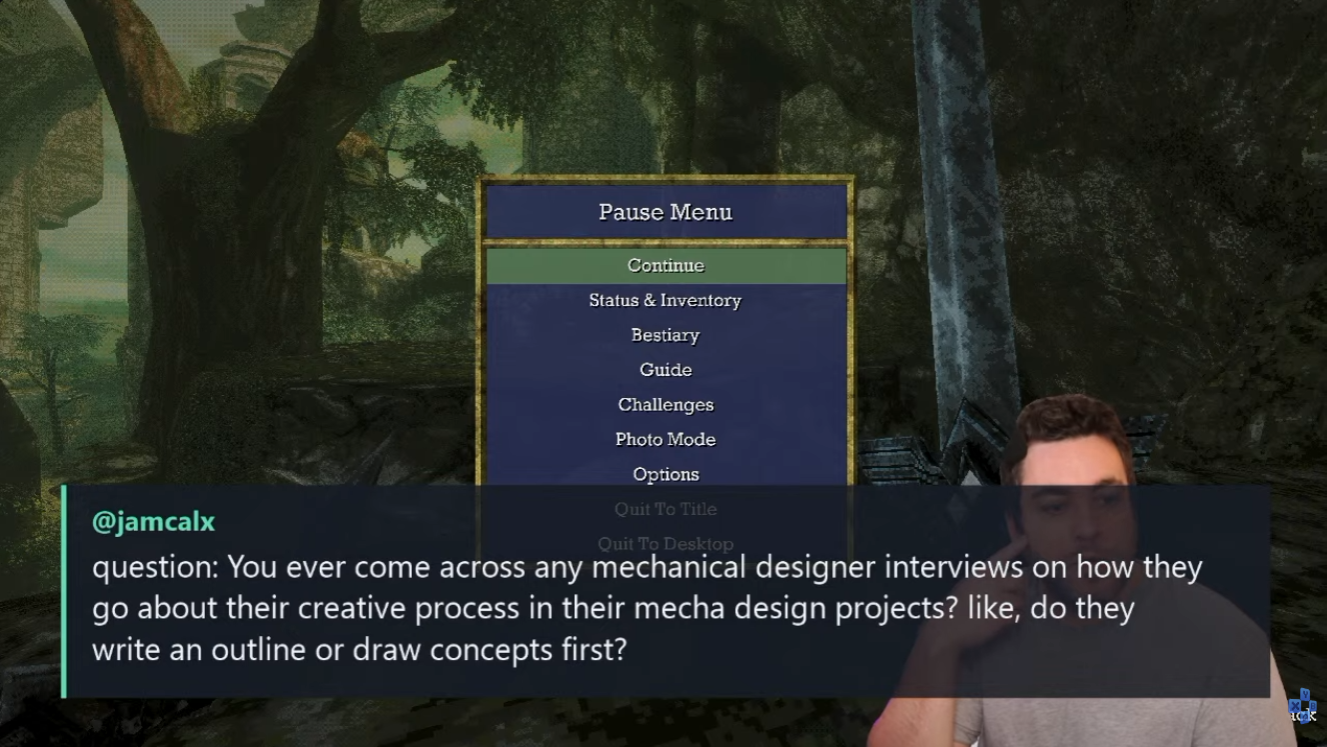
Follow your selected YouTube stream’s chat in BLUME. Click a message to feature it, then click again to hide it. Adjust its appearance to suit your show.
BUILT BY A CREATOR, FOR CREATORS
BLUME grew out of Adam Blue’s own streaming workflow. It’s now a working Windows prototype, being refined through real streams and testing.
Coming soon for Windows, with more features on the way. Join the list for testing opportunities and feature announcements. Public release timing is still to be announced.
Join the early interest list ↗Your email and testing preference are stored for BLUME updates and invitations, managed by Adam Blue. Joining does not guarantee a testing invitation or release date. Every update includes an unsubscribe link. To request removal, email adamblue@gmail.com from the address you signed up with.